
Table of Contents
ToggleExecutive Summary:
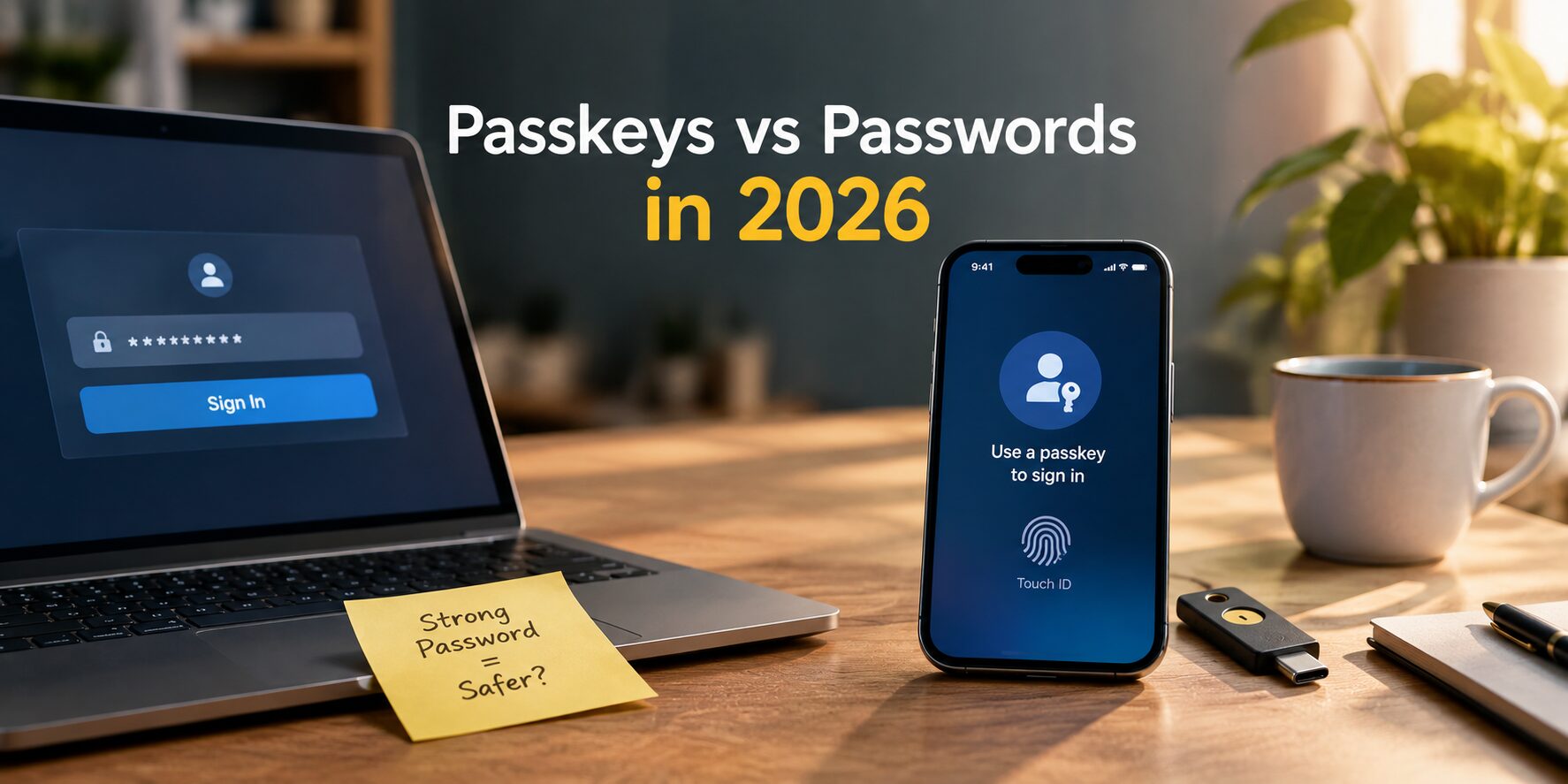
Passkeys vs passwords is now one of the biggest debates in online security, and passkeys are starting to win. Passkeys are login credentials built on open standards like WebAuthn and FIDO2, and they are replacing traditional passwords across many sectors. A password is a shared secret stored on a server. A passkey works differently: it uses asymmetric cryptography, so the website keeps only a public key while the private key stays on your device or security key.
This design brings two major benefits. First, it is highly phishing-resistant and protects against replay attacks. Second, it is easy to use, because there is no secret to remember or type. By 2026, billions of passkeys are active, and almost all major platforms and browsers, including Google, Microsoft and Apple, support them.
Companies are moving to passkeys for three reasons: compliance pressure (for example, device-bound passkeys can meet NIST AAL3), lower costs through fewer password-reset tickets, and growing user demand. Several large deployments report faster logins, higher sign-up conversion and real cost savings.
This guide compares passkeys vs passwords in terms of security, usability, migration, interoperability, privacy and reliability, and it also looks at where passwordless authentication is heading. It draws on official specifications and other trusted sources.
Passkeys and Standards Overview
If you are new to the basics, start with our primer on authentication in cybersecurity before diving into the standards below. A passkey is a credential that is compatible with FIDO2/WebAuthn. Specifically, a passkey is a FIDO registration credential that allows a user to log into a site or app “in the same way they unlock their device” (using either a biometrics, PIN, or pattern).In essence, passkeys do away with the need for passwords through the use of public-key cryptography. Upon registration, the user’s authenticator (the device and the security key) creates a key pair for the specific account, retains the private key locally, and transmits the public key to the remote server. Upon logging in, the server sends a challenge which is signed by the device using the private key retained on the device and verified by the server with the public key. In this process, there are no shared credentials which are either transmitted or stored on the remote server. The same key-pair idea already powers passwordless SSH login for servers, where the private key stays with the admin and the server stores only the public key.
This model is defined by the FIDO2 suite: the W3C Web Authentication (WebAuthn) API for web and native apps, and the FIDO CTAP (Client-to-Authenticator Protocol) for connecting to external authenticators (USB/NFC/BLE security keys). In short, FIDO2 = WebAuthn + CTAP. WebAuthn is the standardized API (e.g. navigator.credentials.create and .get) for creating and using public-key credentials on browsers and OSes. CTAP defines the lower-level protocol between a client (phone/PC) and a roaming authenticator (security key). Platform authenticators (built into devices, e.g. Apple’s Secure Enclave or Windows Hello) use internal OS interfaces, while external keys use CTAP over USB/NFC/BLE. The overall architecture decouples apps from hardware details: an app talks to the browser via WebAuthn, and the browser/OS handles CTAP communication with the authenticator.
FIDO’s standards explicitly emphasize privacy and anti-phishing: “Every passkey is unique and bound to the online service domain” and “the protocols do not provide information that can be used by different online services to… track a user”. The technique which uses biometric data for unlocking smartphones does not need internet connection. In reality, the top companies in this industry like Apple, Microsoft or Google have called their synced credentials “passkeys” which are based on FIDO2/WebAuthn. Importantly, in May of 2022, Apple, Google and Microsoft have announced their support for the synchronization of passkeys that allows users to have their credentials securely stored.
Cryptographic Mechanisms
Passkey security is built on public key cryptography combined with the security of a device.
Keys creation and storage: during the registration of the passkey, authenticator generates a key pair that is stored in a secure place. Nothing but the public key leaves the device, thus only the public key is going to be used to verify the login data later. Some authenticators also perform attestation, providing a signed statement that the key was generated in genuine hardware meeting FIDO-certified security levels. Attestation enhances trust (e.g. a server can check the key came from a compliant authenticator), though many sites use “universal attestation” to simplify.
Authenticator types: Passkeys can be platform (built into a device) or roaming. Platform authenticators include smartphones or laptops using biometric or PIN-protected credentials (e.g. Android/Chrome, iOS/iCloud Keychain, Windows Hello). These support discoverable (resident) credentials that the authenticator can return without the user entering a username. Roaming authenticators are external tokens (USB/NFC/BLE FIDO Security Keys) that can be moved across devices. Modern passkeys may sync via cloud providers (Apple iCloud, Google Account, Microsoft Account) acting as passkey providers.
Credential variations: The new FIDO2 specs allow discoverable credentials (credentials stored on authenticator with user ID), enabling passwordless flows where the user picks account and device finds the key. Without discoverable keys, the user must first enter a username to let the server retrieve the correct credential ID. In addition, FIDO2 supports resident key (“cloud-assisted”) for account recovery, and various extensions (e.g. hmac-secret for secure secrets).
Cryptography and domains: Each signature operation is cryptographically bound to the domain (RP ID). The browser ensures that when it invokes the authenticator, it includes the origin. Thus a passkey registered for example.com will refuse to sign for phish-example.com. This domain-binding is core to phishing resistance. Passkeys typically use strong algorithms (ECDSA or EdDSA) with SHA-256 hashing. The FIDO Authenticator Cryptography List mandates NIST-approved algorithms (ECDSA, RSA, EdDSA, SHA-3, etc.) for FIPS and government usage.
Threat Model: Passwords vs Passkeys
Vulnerability of Passwords: Password-based verification methods have a lot of known threats. As servers are responsible for the storage of secrets, attacks and phishing can result in stolen passwords. According to the 2025 Verizon DBIR, 88% of hacking activities happen due to the misuse of passwords. There are several attacks, such as:
Phishing: Users are led to fake websites where they enter their passwords and share them with the attackers. The stolen passwords can be used on the real website.
Credential Stuffing: Since people often use the same password for different platforms, an attacker can use the passwords cracked on one website to access other websites. About 80% of hacked accounts had been compromised previously.
Man-in-the-Middle (MITM): Attackers can know users’ passwords during their interactions on websites using fake certificates, proxies, etc. The attack may still happen even if TLS is incorporated in the data transfers.
Server Breaches: The passwords can be cracked offline by hacking their hashes stored in the database of a server. Even though slow hashing algorithms can be used to extend the time of password hacking, the passwords should be changed as soon as the breach happens.
By contrast, passkeys eliminate these weaknesses by design:
- No shared secret: Servers store only public keys; a breach yields nothing the attacker can use for sign-in. Public keys are cryptographically useless without their matching private keys.
- Phishing resistance: The WebAuthn protocol itself enforces domain-binding. A compromised user entering credentials on a phishing site will not yield a usable signature for the real site – the authenticator will not sign challenges for the wrong origin. Attackers cannot reuse a credential on a different domain.
- No credential stuffing: Every passkey is unique per site. Even if an online service is breached, its (public) credentials can’t be replayed elsewhere.
- Brute force immunity: Passkeys rely on asymmetric keys that can’t be guessed or brute-forced like passwords.
- No simple MITM: Because authentication uses signed challenges and domain checks, intercepting network traffic yields nothing the attacker can exploit later. However, novel downgrade or UI spoofing attacks are emerging (see below).
Emerging threats: Recent research highlights that while passkeys block classical attacks, attackers may attempt new strategies. Proofpoint (Aug 2025) showed that attackers could use a “phishing kit” to downgrade FIDO authentication to a weaker flow (e.g. trick user into entering a password or OTP). In other words, if the site still supports passwords/MFA, a phishing proxy can steer the user away from passkeys. During DEF CON 33 in August 2025, investigations revealed vulnerabilities of “WebAuthn API hijacking” caused by the possibility of the attacker misleading the victim into accepting a fraudulent passkey request. The reason for this loophole lies in the vulnerability of the mechanism that is used to manipulate the interface. Various studies carried out show the effectiveness of passkeys in fighting phishing, replay, man-in-the-middle, and credential stuffing attacks.
Threat Mitigation Summary: In broad strokes, passkeys survive attacks that break passwords. For example, they are immune to phishing (even undetected phishing sites can’t steal them), to credential stuffing, to server breaches (public keys alone are harmless), to brute-force guesses, and to replay. The only remaining risks involve user devices (malware on device could try to extract credentials) or fallback/edge cases (downgrade phishing). A recent analysis classifies device-bound passkeys as providing “No Trusted Third Party” necessity, whereas synced passkeys introduce a new trust (the passkey provider). This leads to the key point: the security of passkeys is strongest when the private key never leaves the device. Even with phishing-resistant login, teams should keep an incident response plan ready for device compromise or a breach at the passkey provider.
Usability and User Experience
Passkeys offer a streamlined login experience. Users don’t type or remember secrets; instead they approve a local prompt. Enrollment usually involves a familiar gesture (e.g. scanning a fingerprint or face, or entering a PIN to unlock) and a consent click. Once registered, logging in is typically one tap or touch: the OS shows a passkey prompt and the user authenticates with biometrics/PIN. According to FIDO research, passkey logins average 13–14 seconds with 93% success rate, versus 27–30 seconds and 63% for password+MFA. High success means far fewer login retries or “forgot password” occurrences.
Onboarding: Sites offer passkeys as a “passwordless” option. Many implement registration as a second factor at first (to avoid locking out users), then encourage setting passkeys as primary. The Federation solution (Google/Apple Single Sign-On) already builds on OAuth/OpenID flows, but passkeys can be added via WebAuthn APIs. Organizations should provide clear instructions (“Use your fingerprint to create a passkey”) and user training (passkeys are secure and hassle-free). Inline prompts (“Set up a passkey now”) have driven high adoption in some cases; Uber reported 90% of passkey enrollments came from in-flow nudges.
Multi-device Sync: A common concern is device loss. Modern passkey ecosystems address this with cloud sync. Apple iCloud Keychain automatically backs up passkeys across a user’s trusted Apple devices; Google Password Manager (Android/Chrome) and Microsoft Account do similarly for their platforms. This means if you lose one phone, you can still sign in on another. A 2026 survey found 75% of consumers had enabled passkeys on some accounts, partly thanks to such sync. However, synced passkeys introduce dependence on cloud providers: a breach of the passkey provider (like a password manager hack) could compromise many passkeys. Thus, security-sensitive applications may prefer device-bound passkeys (non-synced), at the expense of requiring more manual recovery if a device is lost.
Account Recovery: Even with synced passkeys, recovery strategies are needed. Some systems treat passkeys as a factor in multi-factor auth: e.g. allow account recovery via backup codes, secondary tokens, or helpdesk procedures. For enterprises, allowing fallback to other strong factors (security keys, OTP with anti-phish protections) during migration may be prudent. The trade-off is between strict passwordless and user lockout risk. Industry guidance suggests offering both passkey and a backup method initially, then gradually phasing out passwords once adoption is high.
User Experience Enhancements: Passkeys improve usability in other ways. They remove password reset hassles (no more OTP emails) and reduce friction on mobile (no keyboard input). Biometric unlocking is intuitive (“Touch your fingerprint”). Studies show faster login and higher reliability: eBay saw a 4× speedup and a 102% jump in enrollment conversions when adding biometric passkey flows. Sony observed 24% faster sign-in and 88% enrollment conversion. Critically, support calls drop dramatically – the FIDO Passkey Index noted helpdesk tickets fell up to 81% after passkey rollouts. This translates to major IT savings.
Deployment and Interoperability
Platform and Browser Support: By 2026, every major platform supports passkeys. Apple’s iOS/iPadOS (16+) and macOS (Ventura+) provide Passkey support via iCloud Keychain. Google’s Android (9+) and Chrome browser let users create passkeys synced through their Google Account. Microsoft Edge and Windows 10+ with Windows Hello support passkeys synced to Microsoft accounts. Firefox has added WebAuthn support for common authenticators as well. In practice, any device running a modern browser can generate or use passkeys. However, older devices or browsers may only support U2F (CTAP1) or not at all. According to recent data, ~75% of consumer devices worldwide are “passkey-ready” (supporting WebAuthn). Enterprises should audit their user base (OS/browser versions) to estimate coverage.
Standards Maturity: WebAuthn became a W3C Recommendation in 2019, with Level 3 (2026 CR) adding convenience features. The FIDO2 specifications (WebAuthn + CTAP) are stable, with ongoing extensions (e.g. passkey portability standards to migrate between providers). Major vendors contribute to these specs (W3C and FIDO Alliance working groups) ensuring industry alignment. Unlike proprietary solutions, WebAuthn is open and interoperable: any certified authenticator works across any conformant site.
Migration Methods: For organizations transitioning away from passwords, the best practices recommend a gradual process:
- Ensure backwards compatibility: Support both passwords (and MFA) during the period of implementation to avoid users being locked out.
- Phase in Passkeys: First as an optional secondary factor, and then as primary login. Make use of in-account notifications and in-app assistance to educate users.
- Monitor & Modify: Measure adoption rates and login success. Modify processes (for example, initiating asking for biometric authentication) to ensure maximum conversion rate.
- Communicate in Simple Terms: Explain advantages (“no more remembering passwords”) and also provide assistance in recovery options. Avoid using technical terms.
- Experiment with Different Groups: Choose tech-savvy people first prior to full implementation. Gather their impressions and modify UX based on the input received.
- Use Software Libraries: Use WebAuthn libraries / IDP systems (like Authgear, Okta, AWS Cognito) to ensure smooth migration. Make sure your server keeps all credential IDs and public keys without fail.
- Determine Recovery Options: Clearly outline the ways how users can regain access to their accounts if they lose their keys (the second login, escalation to helpdesk or use of alternative authentication).
Over time, as passkey usage grows, an enterprise can increase enforcement. For instance, after adoption stabilizes, require new accounts to use passkeys and eventually disable password-only logins. Backward compatibility (e.g. allowing passwords as fallback) may persist in transitional phases, but the end goal is passwordless MFA via passkeys.
Enterprise Considerations
- Single Sign-On and Federation: The use of passkeys as a method for logging in via Single Sign-On (SSO) is possible, given the capability of the Identity provider (IdP) to perform authentication with the use of self-sovereign passkeys as governed by WebAuthn. Multiple Identity Access Management (IAM) providers, such as Okta, Microsoft Entra, Ping, and Auth0, now include FIDO2 as one of the factors for logging in to various services. Passkeys can therefore act as the primary means of logging in within Zero Trust architecture, being able to replace password-based authentication in ADFSSSO processes.
- Integration with MFA: Even if passkeys do not replace passwords directly, they can act as two-factor authentication methods in Multi-Factor Authentication (MFA). With the inclusion of passkeys, there is a benefit of avoiding the usage of SMS or authenticator applications.
- Fulfillment of Regulatory Requirements: FIDO2 passes adhere to a high standard of assurance (meaning NIST AAL3, eIDAS high assurance, PCI-DSS strong auth). By using passkeys enterprises will show that they comply with the concerned regulations that require the use of phishing-resistant Multi-Factor Authentication methods (such as PSD2 and NIST 800-63B). Also, being password-free ensures that less personal information is collected.
- Enterprise Mobility/BYOD: Passkeys are usable across both personal (BYOD) and corporate devices, however, the organization must make the necessary adjustments to be able to employ keychains. Companies may enforce BYOD with their Mobile Device Management policies in order to make sure that the devices are trustworthy.
- Security Policies: As with any MFA, policies should require a second factor for critical tasks. Organizations might require passkeys (a U2F equivalent) for admin access. Passkeys also support hardware security modules and HSM-backed keys for high-grade accounts.
- Vendor Lock-in and Portability: One concern is reliance on a vendor’s sync (Apple, Google, Microsoft). To mitigate lock-in, FIDO Alliance is developing passkey portability standards to move keys between providers. Enterprises can choose to deploy in-house credential managers (e.g. Azure AD Key Vault, Okta credential providers) that support WebAuthn, preserving control.
- Cost: While passkeys may require initial development and user support cost, they often reduce long-term costs. Fewer helpdesk resets and lower breach remediation (no mass password resets) save money. Industry reports cite up to 30–50% reduction in support tickets post-rollout.
Privacy and Security Trade-offs
Passkeys were developed with the intention of privacy concerns being solved. In contrast to tracking cookies or social media logins, FIDO/WebAuthn does not share distinct identifiers from one site to another. Every credential works with one domain alone. The biometric information does not go anywhere, so servers can only see a type of proof and not any biometric data itself. The principles of the FIDO alliance emphasize paying attention to the minimal exposure of private information.
One of the most important privacy factors is cloud synchronization. When a passkey is synced using the Google/Apple/Microsoft account system this means that the client has to trust a provider with their credentials. The provider encrypts the data while making sure that the data is sender to recipient safely, still there are some possibilities that someone could hack the client’s account and get access to all passkeys stored there. According to one of the articles, “the security of passkeys is mainly focused on the provider”.
Performance and Scalability
From a performance viewpoint, passkeys are efficient. Cryptographic operations (key generation, signing) occur on-device or token, often leveraging hardware acceleration; signature verification on server is a standard public-key check. This adds negligible latency compared to network round-trips, and is vastly outweighed by savings in user time (faster logins). As noted, passkey logins often complete in half the time of passwords.
On the server side, passkeys scale naturally. Instead of managing potentially millions of password hashes and rate-limiting attempts, a server only must look up the user’s stored public key and verify a signature. This is stateless (no sessions needed for capturing OTP codes), and avoids lockout race conditions. FIDO protocols were explicitly designed to be “scalable” for any website or application. Industry adoption by giants like Amazon (320M users) and Google (800M accounts) demonstrates this scalability.
Future Directions
Passkeys are still evolving. Key upcoming areas:
- Standards: Current FIDO work consists of different projects, including an analysis of the possibilities of passkey portability, multi-factor improvements, and the expansion of CTAP for new requirements (offline and decentralized identities, for instance).
- Decentralized Identity: The use of passkeys is in line with the trends of self-sovereign identity (i.e., DIDs). For instance, a passkey may be used together with verifiable credentials for the purposes of KYC or IoT identity. Ongoing research and initiatives are focused on the possibilites of combining WebAuthn/ Credential Management APIs with DID frameworks.
- Biometrics and Privacy: Biometric unlock is part of the process of using passkeys, but future protocols may enhance privacy possibilities (e.g. on-device face templates and secure enclaves). Moreover, the use of modern authenticators (such as wearables and continuous authentication) may assist in developing new mechanisms of realizing “what you have” component.
- Hardware Tokens: Security tokens continue to evolve (e.g. Bluetooth FIDO tokens and NFC rings). Many companies still prefer having external tokens for admin access purposes.
- AI and Threats: As phishing try its hand at innovations (there has been an increase in AI-generated spear-phishing attempts), it is likely that hackers will start looking for ways to boost phishing-resistant authentication. There is an indication that passkeys will become essential for this process, but they must be used only after users receive training about new developments in social engineering practices (for example, UI spoofing).
- User Identity & Privacy: Future passkey services may incorporate the use of anonymized credentials or selective disclosure (zero-knowledge proofs) in order to make the process of logging in and protecting one’s data more efficient.
Migration Checklist (Best Practices)
- Assess readiness: Inventory user devices, OS/browser versions, and current auth infrastructure. Check which accounts (cloud, VPN, internal apps) support passkeys or can be upgraded.
- Plan fallback: Maintain password/MFA for fallback during transition. Ensure robust recovery (helpdesk processes, secondary factors) are in place before disabling passwords.
- Update identity provider (IdP): Use a modern IAM/SSO that supports FIDO2/WebAuthn. Many cloud IdPs now offer passkey support.
- Develop or integrate WebAuthn code: For custom apps, use standard libraries (WebAuthn samples exist for most languages). Ensure correct handling of credential IDs and attestation (see W3C spec).
- User education: Communicate benefits clearly. Provide step-by-step guides to register and use passkeys (screenshots or video). Avoid jargon – explain passkeys are not just another stored password.
- Pilot with opt-in: Start with volunteers or technical teams. Collect feedback (UI quirks, device compatibility). Iterate on UX before full roll-out.
- Monitor adoption: Track metrics (opt-in %, login success, support requests). Use dashboards (some vendors provide passkey analytics).
- Scale gradually: Roll out to more user groups, adjusting policies. Optionally incentivize use (e.g. higher trust for passkey logins).
- Security review: Conduct threat modeling for passkeys (consider synced vs device-bound risk). Update security policies to cover passkey-related scenarios.
- Decommissioning old methods: Once passkey usage is robust, begin retiring weak factors (SMS OTP, legacy MFA). Communicate deprecation timelines to users.
Frequently Asked Questions
Q:1 What is the difference between a passkey and a password?
Answer: A password is a shared secret you and a server both know; a passkey is a cryptographic key pair. The server holds only your public key; you keep the private key on your device. You never type or transmit the passkey itself. This means passkeys cannot be phished or guessed like passwords can.
Q:2 Can passkeys be used across my devices?
Answer: Yes. Modern platforms allow passkeys to be synced securely. Apple devices use iCloud Keychain, Google syncs via Google Password Manager, and Microsoft syncs via your Microsoft account. This means you can create a passkey on one device and use it on another you’re logged into. However, syncing introduces reliance on those providers’ security.
Q:3 What if I lose my device?
Answer: If your passkeys are synced (cloud backup), you can restore them on a new device by logging into your cloud account (Apple ID/Google account). If not synced, you may need alternate login methods (another registered device, backup codes, or an admin recovery process). Planning for recovery is crucial during migration.
Q:4 Are passkeys resistant to phishing?
Answer: Yes. Passkeys are phishing-resistant by protocol. The authentication response is cryptographically tied to the legitimate site, so even if an attacker fakes a site, your passkey won’t unlock it. However, never approve a prompt you didn’t expect, as UI-level attacks have been shown to fool users in lab settings.
Q:5 Do passkeys work offline?
Answer: The cryptographic operations happen locally, but you typically need network connectivity to communicate with the server and receive a challenge. Some FIDO extensions (CTAP2.2) are exploring offline use-cases (e.g. QR code and BLE for cross-device), but in standard web login, you’ll need connectivity.